
We can all use a little extra cash in our pocket and Amazon has a pretty easy way to get some. It's called the Amazon Trade-In Program.
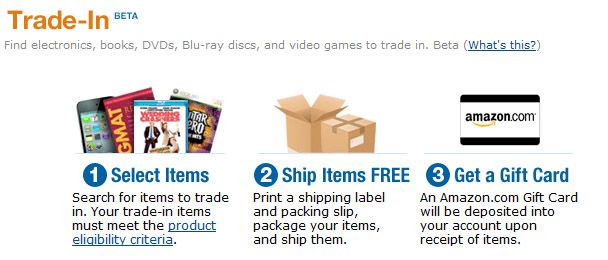
Here's how it works:
1. Round Up DVDs, CDs, Books, Video Games or Electronics
Go on a hunt through your home and find any DVDs, Books, Video Games, or electronics you no longer need or use. The kids can certainly help with this!
2. Search for the Products You've Found in the Amazon Trade In Store
Do a search on the Amazon Trade-In Store to see how much Amazon will pay you for a Trade In. If the price seems fair to you, click through to verify the condition, title, and price.

3. Print Your Shipping Label
Now follow the steps to print your postage-paid shipping label. You can either use free UPS shipping (you’ll need to drop your package off at the nearest UPS location) or ship using your local U.S. Postal Service (you can give your package to your mail carrier or drop it off at the nearest post office).
4. Ship Your Items
Using the pre-paid shipping label, shipping trade-in items is completely free, and there are no other fees. Simply print a pre-paid U.S. Postal Service shipping label for sending in all of your items. If a trade-in item is not accepted, and is returned, there is no cost for return shipping. Once it has been received by Amazon, they will check it to verify that it is eligible and in the condition you promised. Items considered to be not acceptable will be returned. Return shipping is free, but you will not receive any Amazon.com Gift Card amount for the returned items.
5. Once Amazon Approves Your Item(s), You Get Your Amazon Credit!
After your item has been received and approved by Amazon, they will issue your Amazon credit. You can use this credit to purchase anything on Amazon.com. If you start doing this early in the year, you may have a sizable credit to use for Christmas gifts!

FAQs
How long will it take to get my credit? Depending on your location, trade-in submissions may take up to 10 business days to arrive before your submission is processed. The packages you sent can be tracked anytime in Your Trade-in Account. Once your item is received and verified, you'll receive an e-mail notification within 2 business days informing you whether your items were accepted or rejected. You can find the status of your trade-in anytime in Your Trade-in Account. Once your trade-in has been paid, you'll see the amount when viewing your gift card balance.
What condition do my items need to be in? In general, all items must be in at least acceptable condition and the item you wish to trade in must match the exact version displayed in the Trade-In search results or on the product page on Amazon.com. You can find the full condition descriptions by visiting the Amazon Eligible Products and Condition Criteria page.
Can I trade in items that aren't listed in the Trade In Store? If your item isn't listed in the Trade-In Store, then Amazon does not currently have an offer for it. However the Trade-In program is being constantly updated with new titles, so check back regularly.
More FAQs
What to read next:
 |
 |
| And for the items that you couldn't trade in on Amazon… | Learn All You Need to Know About Couponing for FREE ONLINE! |
